Category: How To Jailbreak

  • How To Jailbreak iOS 6 Beta 2 With Redsn0w 0.9.13dev2

    How To Jailbreak iOS 6 Beta 2 With Redsn0w 0.9.13dev2

    Few hours back the iPhone Dev-team released Redsn0w 0.9.13dev2 after the Apple released iOS 6 Beta 2 to developers for the application development. In this article we will tell you how to jailbreak with Redsn0w 0.9.13dev2 the iOS 6 Beta 2. Before the tutorial goes, we would like to tell you that by jail-breaking this time you won’t get Cydia only you wil get is the access in to the iOS 6 SSH files and pass over the beginning if you have a locked device.

    This will be a tethered jailbreak, jail-breaking the A4 and below devices. In order to jailbreak iOS 6 Beta 2 you will need the iOS 6 Beta 1 firmware. So let’s start

    • Install the freshly released beta by Apple i.e iOS 6 Beta 2
    • Connect the iDevice to your PC/OS X Device
    • Goto Extras
    • Select the .ipsw file of iOS 6 Beta 1
    • Go back to the main screen of Redsn0w 0.9.13dev2
    • Click Jailbreak
    • Do not forget to check ‘Install SSH’
    • When the jailbreaking process finishes, enter into DFU mode
    • Goto Extras and point again to iOS 6 Beta 1 firmware
    • Go back to the Extra screen
    • Click ‘Just Boot Tether’

    This jailbreak will be tethered and will not get Cydia on screen, to get Cydia follow this tutorial.

  • Redsn0w 0.9.13dev2 Released To Jailbreak iOS 6 Beta 2 And Fix SSH Issue

    Redsn0w 0.9.13dev2 Released To Jailbreak iOS 6 Beta 2 And Fix SSH Issue

    Today Apple pushed out iOS 6 Beta 2 to developers for the application development and other improvements for their applications. The iPhone Dev-Team tackling Apple also released there upgraded version of Redsn0w 0.9.13dev2 to jailbreak iOS 6 Beta 2 and also solve the ex-SSH issue.

    There update notes

    Update #1 – June 15: The “dev2” version should fix the various SSH problems and crashes with apps that some have been seeing.

    This version of developers redsn0w jailbreaks the A4 devices and below, not the A5 and A5X devices. It’s a tethered jailbreak for everyone, as there is no untehtered jailbreak for beta’s in any situation. The users who intend and hope to have Cydia after the jailbreak may stay away because the iOS 6 beta’s after simply jailbreaking son’t get Cydia. The iOS 6 Beta 2 expires on the upcoming 31st July 2012.

    Download the redsn0w o.9.13dev2 for

  • How to Tethered Jailbreak iOS 6b1 With Redsn0w 0.9.13dev1

    How to Tethered Jailbreak iOS 6b1 With Redsn0w 0.9.13dev1

    The day before, iPhone Dev-Team released a unique version of redsn0w only for iOS 6beta1. That new version of Redsn0w 0.9.13dev1 was released for Developers only and not for the public. This means that the release of the redsn0w 0.9.13dev1 doesn’t installs Cydia or any new exploit, it simply adds in install SSH Support for developers to fix up their Jailbreak Apps on the latest iOS 6b1 build. To be more concise, Apple released the first version of iOS 6 after they had demoed it at WWDC on June 11 with over 200 new features arriving in iOS 6.

    To break into iOS 6 would be another great challenge for the Dev-Team. The new iOS 6 will get all the bugs fixed and this time it would be harder for the Dev-Team to bring out a Jailbreak for iOS 6. We expect that a Tethered Jailbreak would be out for A4 Devices and below. No luck for A5 and A5X processor equipped devices owners like before because there is no boot rom level exploit found out yet. We hope that a bootrom level is discovered in near future. We can do nothing than expecting.

    While we are expecting a lot from the Dev-Team, till then the Developers who need to update their Jailbroken Apps on iOS 6beta1 can follow up the tutorial below to install SSH on their iPhone 3GS, 4, and all the older Devices on which iOS 6 is supported.

    Steps to follow:

    Step 1:

    First of all download the following things that are required for this Tethered Jailbreak.

    1. Redsn0w 0.9.13dev1 (Download)
    2. iOS 6b1 for Developers only (Download)
    3. iTunes 10.6.3 (Download)

    After you are done downloading, install iTunes and hookup your iDevice with iOS 6. You will need a Dev Account to access iOS 6 betas. Once you are done with the downloading and installing process, now move to the real part.

    Step 2:

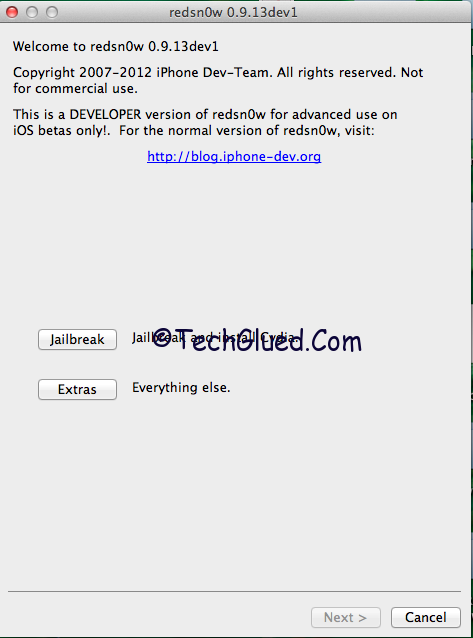
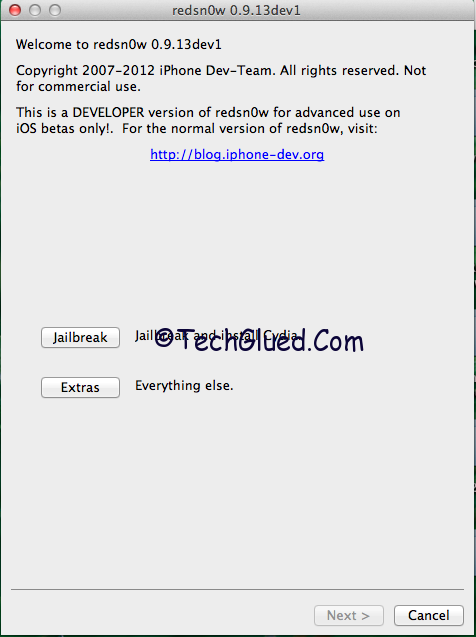
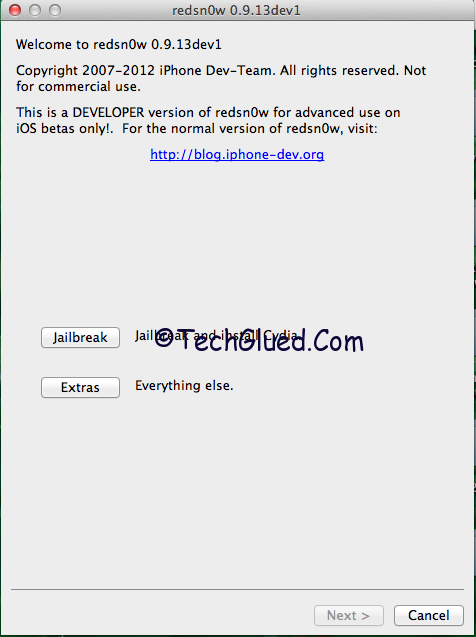
    Once you are on iOS 6, simply open up Redsn0w 0.9.13dev1 and go into Extras option. Over there you will see many options. You are only interested in Select IPSW option.
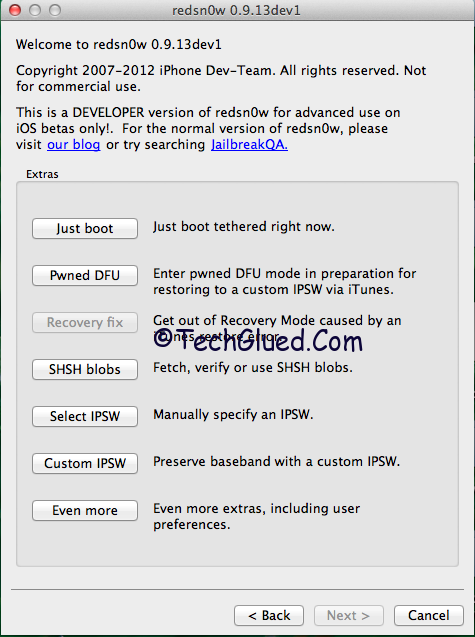
    redsn0w-0.9.13-dev1-jailbreak


    redsn0w-extras-menu

    Press that and now point out the iOS 6 IPSW that you downloaded from your Developers account.

    Step 3:

    Redsn0w 0.9.13dev1 will recognize the IPSW as iOS 6 build.
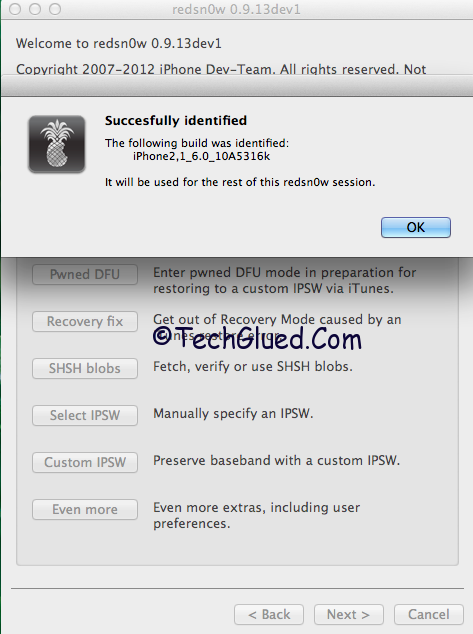
    ios-6-ipsw-redsn0w

    After this, press the back button and go back to the home screen.

    Step 4:

    Now you will see the old two options once again. This time you need to press jailbreak button and Redsn0w 0.9.13dev1 will do its work.

    After the work is done, it will show you some options with “Install SSH already ticked.”
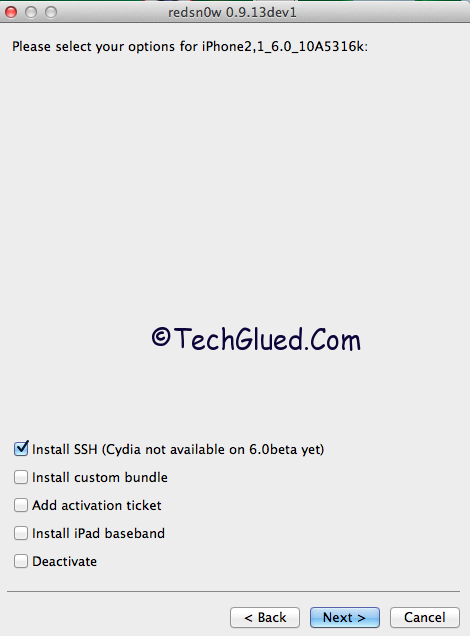
    install-ssh-cydia-redsn0w

    Just proceed next. You don’t have to press on anything. The option you need is install SSH. That’s it. Do remember that Cydia won’t be installed.

    Now enter into DFU Mode and proceed on.
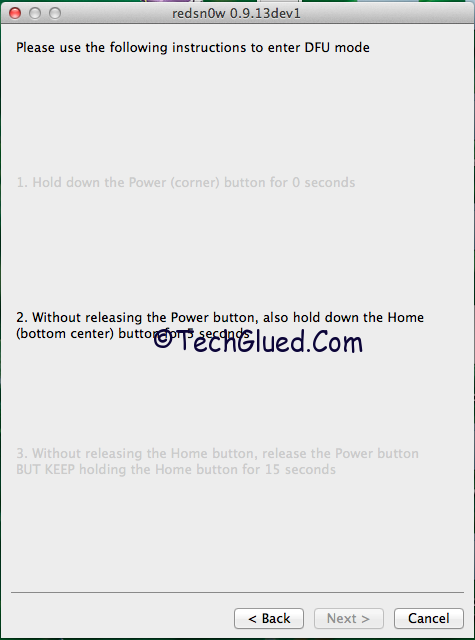
    dfu-redsn0w

    Step 5:

    The Jailbreak process will start on your Device. Once the process is done, simply open up redsn0w 0.9.13bdev1 and go into extras Menu.

    Step 6:

    Over here in the extras Menu, you need to press Just Boot option. Once pressed, put your iDevice into DFU Mode and proceed on next. You will soon be Booted Tethered on iOS 6.

    redsn0w-extras-menu

    Once the iDevice is up, you will be Tethered Jailbroken on iOS 6b1. There will no Cydia on your Device because this version of Redsn0w was released for Developers who want to fix their Jaibroken Apps on iOS 6.
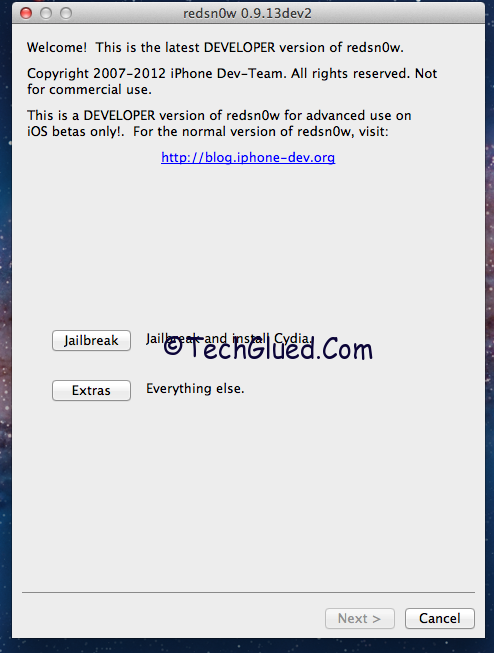
  • Redsn0w 0.9.13dev1 Emerged for iOS 6b1 Tethered Jailbreak (Download)

    Redsn0w 0.9.13dev1 Emerged for iOS 6b1 Tethered Jailbreak (Download)

    The iPhone Dev-Team is on the roll. After the release of iOS 6 Beta 1, they updated the tool Redsn0w to v0.9.13Dev1 to Jailbreak iPhone 3GS and older A4 Devices. This version of Redsn0w is specifically for Developers who want to update their Jailbreak Apps for iOS 6. This Tethered Jailbreak by redsn0w doesn’t puts on any new exploit or anything, this is the same old Jailbreak method using the Limera1n exploit that GeoHot introduced at the time of iOS 4.x.x. This update of Redsn0w v0.9.13dev1 will not add Cydia onto your iPhone because the status of Cydia is broken on iOS 6 for the time being and it won’t even hactivate your iPhone.

    redsn0w-0.9.13dev1-download

    Hactivate means to by pass the lock screen. This release is only for developers and unlockers, hactivaters should stay away from this release. They should wait till fall for the official iOS 6 releases. As the Jailbreak for this iOS 6 beta 1 remains Tethered, so there are some limitations for the Developers who want to test this Jailbreak. The limitations are that their Apps with Safari won’t work are the Jailbreak because they will need to Boot tethered after the Jailbreak is done. After you have booted Tethered, the Apps will work again. This Tethered Jailbreak wont be adding Cydia, it will only add SSH Support or AFC2D support for the root access of iOS 6 beta 1.

    You can download this developer version of Redsn0w 0.9.13dev1 from below:

  • Jailbreak Non A5 Devices On iOS 5.1 With Redsn0w 0.910b6

    Jailbreak Non A5 Devices On iOS 5.1 With Redsn0w 0.910b6

    Well yesterday at the Apples special event Timothy Cook announced about the releasing of iOS 5.1, that was just after the event. Of course developers are always ready, the jailbreak after some hours released for non A5 devices which are iPhone 3GS, iPhone 4, iPad, iPod touch 3rd generation and iPod touch 4th generation. The jailbreak is though tethered, released for OS X and Windows both. According to the iPhone dev team, they are thoroughly working on the untethered jailbreak for both non A5 and A5 devices.

    From the Dev-Team Blog

    With all of that in mind, we realize that some of you non-A5 jailbreakers are itching to get to 5.1, even though there seems to be no compelling new feature there. Because of geohot’s limera1n exploit, those with devices earlier than the iPad2 can test the 5.1 jailbreak waters if they really want to, using redsn0w 0.9.10b6.  Here’s what you need to know:
    • This is a *tethered* 5.1 jailbreak for non-A5 devices.  You’ll need to use redsn0w to “Just Boot” your device every time it power cycles, otherwise jailbreak apps won’t work (neither will Safari).
    • If you use ultrasn0w for your carrier unlock, be sure to use a custom IPSW to get to 5.1 first!  Don’t ever restore to a stock Apple IPSW!  Use redsn0w’s “Custom IPSW” button to create a NO_BB_* version of the 5.1 IPSW and restore to that instead of the stock one.  (That option is available only to 3GS and iPhone4-GSM owners.)  ultrasn0w itself will be updated for 5.1 in the next few days (same baseband support, not 5.1’s baseband).
    • If you’re lucky enough to have an old-bootrom 3GS, this jailbreak is actually untethered (redsn0w will figure that part out automatically).
    • While we were at it, we added @pod2g’s steaks4uce exploit to support MC models of the iPod touch 2G (whose last firmware was 4.2.1).  So now redsn0w will auto-detect and jailbreak both MB and MC versions of that older device.
    • iBooks won’t work until a future update of redsn0w

    To download redsn0w 0.9.10b6,

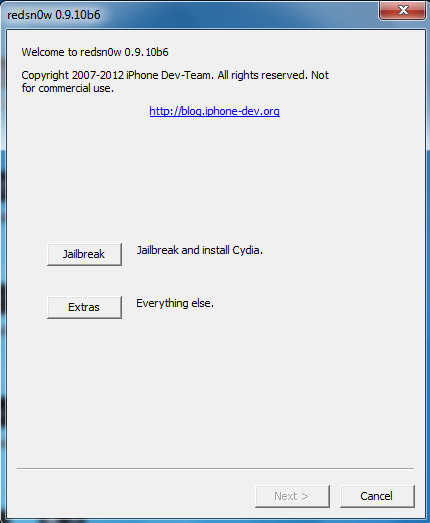
    Run the redsn0w 0.910b6 on Windows in administrator mode.