Tag: Android

  • Top 5 Security Apps for Android

    Top 5 Security Apps for Android

    In this present world of technology, people live their lives on a fast track. There are people who depend upon their hand-operated devices such as their cell phones or tablets. A large number of people who are dependent upon these device use Android.

    People who use cell phones and tablets access their devices from too many unsecured places thus these devices are more prone to catch a virus, malware or a Trojan. Other than viruses, these phones are left unattended by the user sometimes and the possibility of other people using these phones is very likely to occur.

    Today we are going to discuss some android apps, which will minimize these security threats and concerns about privacy of the data. These apps will not only reduce the possibilities of virus attacks, but also make your personal data confidential and secure.

    Top 5 Security Apps for Android

    1) Avast Mobile Security

    This is the app designed to secure your phone or tablet from antivirus. The app is developed by the AVAST software’s. Apart of securing your data, the app also secures your phone from Spyware and Malware. In addition, the app also has the ability to track your lost phone. During the task of location, it also wipes the memory in order to keep your personal data safe. This app is effective and easy to use.
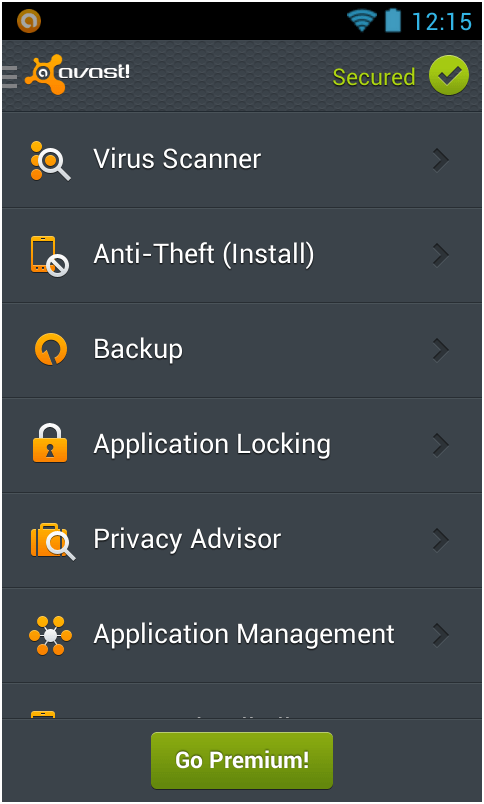
    top_security_apps_android_list
    The app is designed specifically to fight all viruses and protect the phone from all malfunctioning activities.

    Price: FREE

    2) Norton Security Antivirus

    This app is efficiently designed for securing your phone form theft, viruses and lost. Once your phone is lost for whatever reason, the app helps you to locate it successfully. Likewise, the app hand in hand secures the phone from Malware and Spyware as well. It is evident that this app readily scans all your new apps and scans your phone’s or tablets memory card for privacy and viruses issues.
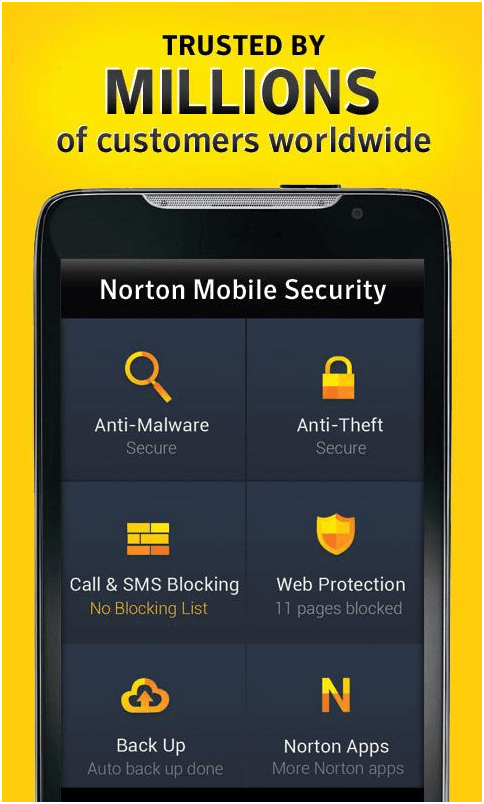
    Norton

    This app effectively tracks your lost phone and helps you to find your device back to you.

    Price: FREE

    3) AVG Antivirus for Android

    The AVG antivirus is the app known for its best result efficiency. It is perfect and works at its best. The app has 70 million downloads until date which make it one of the most authentic and reliable data security app for android users. The key features this app offers are effective scanning of other installed apps, pictures and media. It also helps in finding and locating your lost phone. In addition, it readily kills all those apps which tend to slow your device and browse all data from a website with extra care and safely.
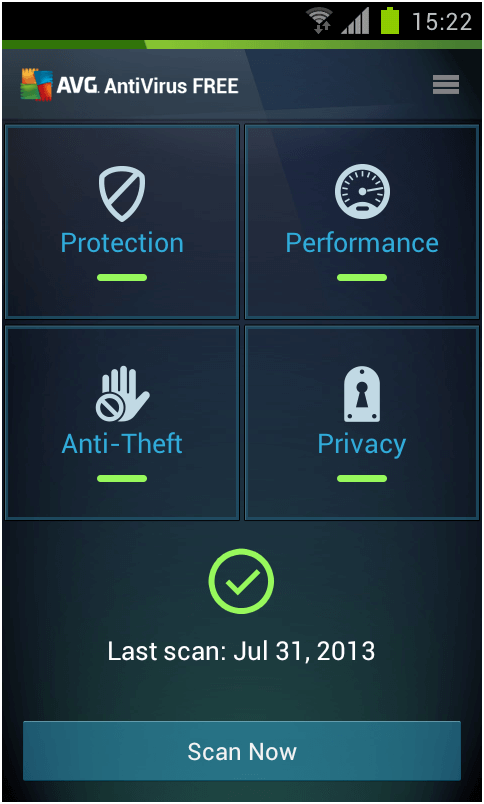
    AVG
    This app is solely designed to protect your phone from antivirus and theft.

    Price: FREE

    4) Lookout Security and Antivirus

    Whenever you use a phone or tablet the chances of viruses engulfing your device increases, also in some cases you tend to lose your phone or sometimes it’s a theft.  To minimize these problems Lookout security app is available for all android users. This app minimizes the chances of viruses and helps in locating your phone if it’s lost. Freeze and wipe all your crucial data and personal memory at panic situation.
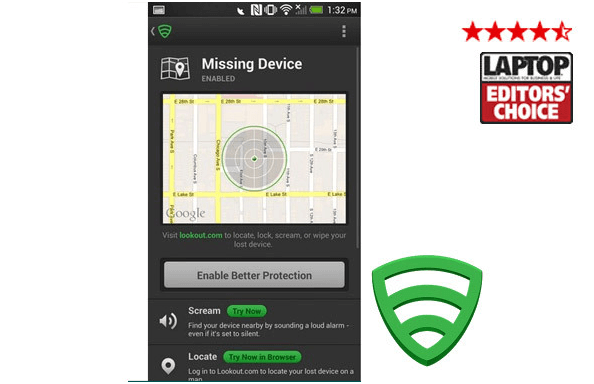
    Lookout
    This app is the best android security solution it helps you to catch your intruder.

    Price: FREE

    5) McAfee Wave Secure

    This app is designed to secure you text messages, pictures and media. Overall, it protects the entire data on your phone. Apart from helping in tracking phone and securing data, the app also has a backup option, which can create immediate backup on risky situations.
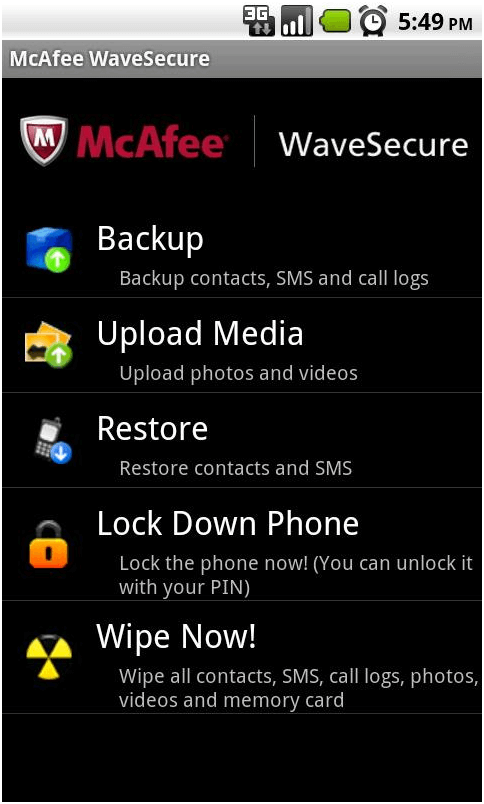
    Macefee

    With this app your data is secured. Once your data is wiped a backup option is available for your ease

    Price: FREE trial / $19.90 per year.

    As android is referred as the best OS, these security apps are also amazing and work at their best. Android once again proved to be the best OS in the light of these all security apps. All these apps are downloaded daily by thousands of people who make it evident that these apps are beneficial for the users. “
  • Why Android is better than iOS?

    Why Android is better than iOS?

    Although Apple is about to release their iOS 7, one cannot help but wonder, why bother? Android is miles ahead of its competition already. Many of the new features that iOS7 will bring have been staples of Android for quite some time now. However, some people are still unconvinced, therefore, we’re here to prove once and for all that Android is the better OS.

    Android iOS Comparison:

    Widgets:

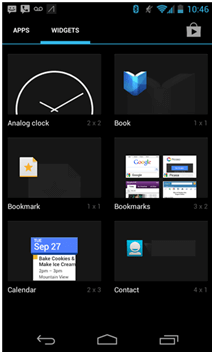
    Widgets

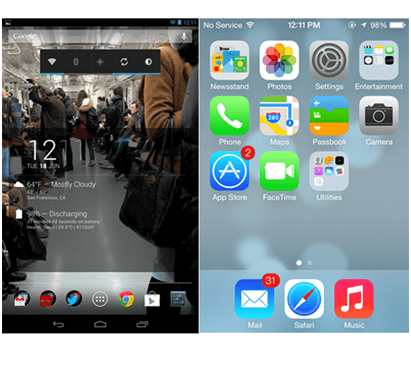
    When unlocking any iDevice, even ones running on iOS 7, you will get nothing but a long list of icons of all the apps you downloaded. However, with Android, not only do you get multiple customizable home screens, you also get the option to modify their look, feel and functionality your choice of widgets.

    By setting up widgets on your home screen, you can save yourself precious time by having your most accessed information available to you. These widgets auto update and the newer android versions (4.2+) allow lock screen widgets so you can get all-important information at a glance.

    Screen size:

    ScreenSize

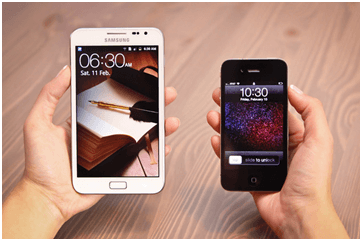
    The superior android OS allows for numerous different screen sizes. Since Android phones come in all shapes and sizes, it is very easy to find one that fits your needs. However, with an iPhone, you are stuck with the same type of screen size.

    In fact, High-end Android phones are increasingly coming out with larger and larger screens, making the iPhone smaller and insignificant. Not only does this help high-end markets, but also for people wanting to buy a budget phone, this is the perfect option as the smaller android phones cost significantly less than iPhone’s.

    Custom Launchers:

    Custom Launches

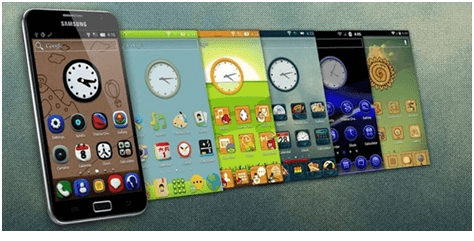
    Android allow you to take customization a step further by allowing you to change launchers. Launchers control everything from the app drawer to the icon styles to the animation that occurs when you move between screens.

    There are dozens of popular launchers, ranging from Go and Apex launchers to the speedy, lightning launcher. With iOS however, you have only one way to navigate through the home screens and just one look for the default icons.

    Cross-app Integration:

    This is a key area where Android and iPhone differ. Cross-app integration is the ability for one app to share information with another. For example, if you had to login using Facebook on a game app, instead of manually doing it, the game can extract the data from your Facebook app, with all you doing is giving permission.

    This Cross-app integration also allows you to use any app as the system default for that app type in case you want to replace an existing app. For example, you could download a different SMS and keyboard application and make it default, so that you’ll never have to see the stock SMS app or keyboard again. This is something Android users are used to but will be a welcome feature for those switching from iOS to android.

    Well, there you have it; Android has many superior abilities that help with appearance, functionality and plain preference. The OS is quite modern and has more features than iOS can provide.

  • Android 4.3 vs iOS7 – Head to Head

    Android 4.3 vs iOS7 – Head to Head

    With Android 4.3, having been released for a few months now and the iOS7 on the verge of mass release, one cannot help but wonder, which of these operating software is the better? We know that both are the latest and that both of them bring new features to the table, but it is time to find out which of them is the better.

    Design

    Design

    Although the iOS design was heavily modified for iOS7, many of the design features have already been implemented in android for quite some time. That’s not to say iOS hasn’t improved. It has more vibrant and fresh feel since the color palette is more clear and vivid with the glossy and bright effects. There is also quite a lot of transparency while scrolling the screens in between the apps.

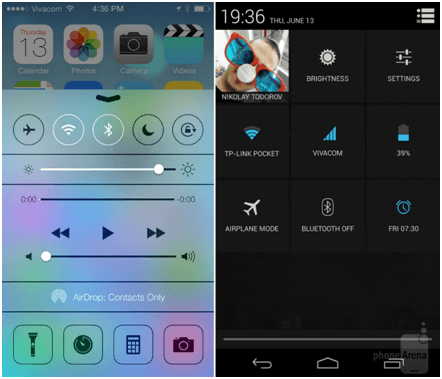
    The control center is a newly added feature that allows it to compete with the Android’s notification center. While this may be new for iDevice users, Android users laugh at how long it took them to catch up to this.

    Notifications

    Notifications

    One cannot help but admit iOS7 did borrow heavily from the tried and tested android formula. Both will inform you about a missed call, message, or email.

    Both will remind you of an upcoming an appointment, or that someone just shared an item with you. Aside from their aesthetic appearance, their main difference is that Apple’s iOS 7-notification center has tabs that organize your info into three different categories (today, all, and missed).

    While Android organizes them without tabs, but includes quick settings like Wi-Fi, GPS, Bluetooth, and airplane mode available in the same area. Apple too has quick settings in iOS 7, but in a different location called Control Center.

    Multitasking

    Multitasking

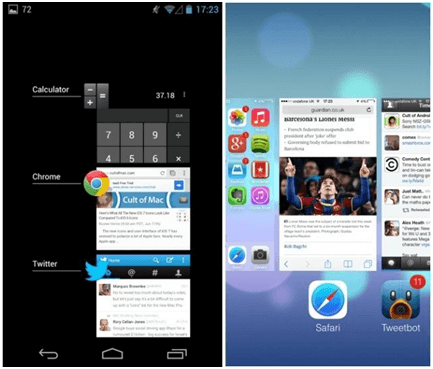
    The new iOS7 has once again imitated the preview multi task look that android has been sporting way back since Android version 4.0. The iOS7 imitates the multitasking on Android, but to a lesser extent. It has a different oriented multitasking screen appearance compared to the android software with the appearance of the app thumbnails instead of icons on the home screen.

    With android, you have to swipe horizontally while with iOS7 you have to swipe vertically. Aside from that, there is no aesthetic difference.

    NFC vs. AirDrop

    NFC vs AirDrop

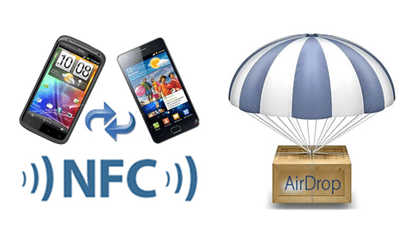
    The latest feature of iOS 7 is AirDrop that allows two iOS 7 devices to create a direct connection, which allows the devices to share media or documents. The transfer of data between AirDrop users is encrypted.

    However, there is no NFC connection feature in iOS7. Android based phones have an NFC option that allows them share their media and documents by simply touching the NFC enables smartphones. AirDrop is based on Wi-Fi/ Bluetooth connection and cannot be paired up via touching.

    Apple’s iOS 7 is intended to refresh the look and feel of an aging operating system, while Google had a different goal. The goal of Google was to earn Android some respect as a sophisticated, modern operating system capable of taking on iOS. While iOS has seen much improvement, it cannot be ignored that Android has had these features for quite some time and has further polished them, making Android 4.3 the victor.

  • 5 Amazing Android Apps for Students

    5 Amazing Android Apps for Students

    <!–
    Android is too mainstreamed and if it is surely the amazing technology available to you on your phone or on any other hand device, then you must use it in a very effective way. Android is one operating system, which manages and creates applications for the ease as well as entertainment for its users.

    It is widely seen throughout the world that Android is famous among people of different age groups. Android is the “Best”. It was pointed out by public and the OS itself never fail to improve or it never disappoints its users.

    If you are using Android as your OS system and you are a student then you must use the best available application for students. This is guaranteed that these student applications by android are effective, excellent, and will surely help you in managing your time along with learning new things.

    Below are the top Five Android Apps for students, which will help them to get an A grade.

    1) Advanced English and Thesaurus

    App1

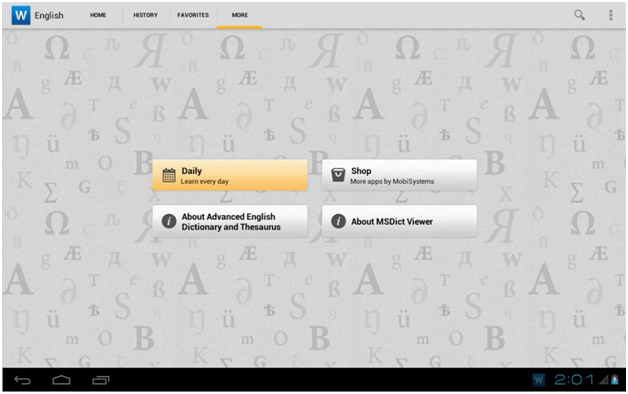
    This is the new formula dictionary and thesaurus designed effectively for the help of students. The dictionary is designed by WordNet and is different from the old traditional dictionary because of its new specialized features where you can easily find a meaning of a certain word; along with their synonyms at the same time.  In this dictionary, you can find the meaning of more than 140,000 words along with their related synonyms, antonyms and homonyms. This app makes your written work a master piece.

    This best app is for your help in written English.

    Price: FREE

    2) Dropbox

    App2 It is the specialized software which conveys and connects you with your coworkers and fellow students.  It is a specialized app which helps in sharing documents, pictures, and video. It is an android app which helps you to stay connected through sharing data with your teacher, class head and other fellow students. A 2GB space is allocated to you once you sign up the app, that your memory and space keeps increasing depending on the amount of sharing you do. The more you share the more space you get on your app automatically.
    Dropbox evidently let you gather all you stuff at a precise place for you.

    Price: FREE

    3) WolframAlpha

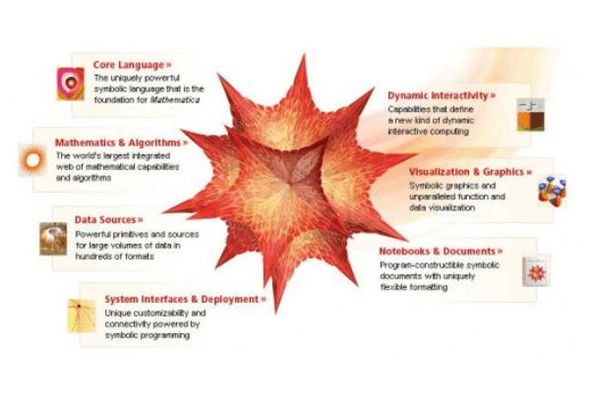
    It is the specialized app which can answer your entire question and fill you up with expert knowledge. The specifics of this app is its connected vast web of algorithms arranged by WolframAlpha which computes all the information from other server and gather the entire information and present it on your homescreen. It is the actual form of that famous fragment of imaginary computer from Star Trek.  The domain of this app will satisfy all your needs in every subject.

    App3
    It’s an effective search engine which is designed to answer your every problem

    Price: $2.99

    4) School Helper

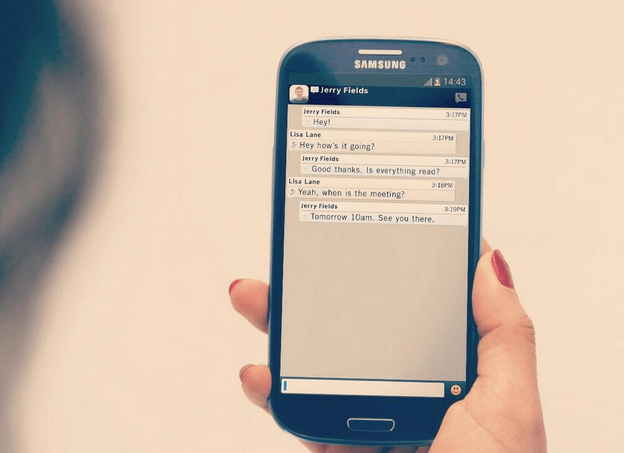
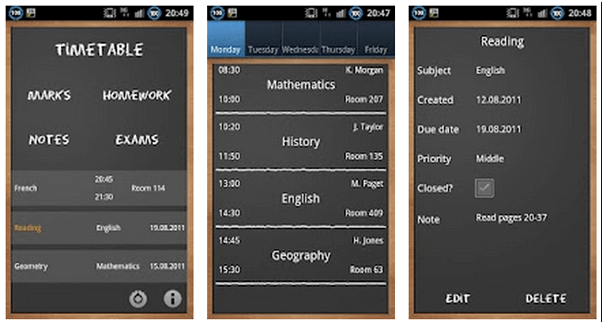
    It is the app used by many students around the world to manage their timetables and homework schedules. In high school you are stuffed with loads of subjects and to manage the time of every class is complicated. Hence, if you just download this app in your phone and create a timetable once in this app then you can check it wherever in your high school. Homework schedule can be managed as well the data of your test marks can be added so that in the end you have all your relevant data available on your android device.

    App4
    The purpose of the app is to have all your data in a place where everything is easily accessible.
    Price: FREE

    5) WikiDroid


    App5
    There are millions of people searching all their relevant searches from Wikipedia. Many students love Wikipedia because of the wide range of articles on every possible topic on this earth and beyond this earth. Hence WikiDroid is an app which will bring Wikipedia on your phone, and on your android device. WikiDroid arrange all the articles from Wikipedia on your Android device with a sleek interface. So now Wikipedia is available to you if you are on the go.
    This app effectively supports all Wikipedia articles and all Wikipedia languages.

    Price: FREE

    It is very evident that these apps are amazing as well as they are best at what they are made for. Once again android has proved itself to be the best operating system in the world of technology.

  • BBM for iPhone and Android Release Date June 27,2013 – T-Mobile UK

    BBM for iPhone and Android Release Date June 27,2013 – T-Mobile UK

    Get ready to skip your vacations for this summer because this summer is going to be the hottest one in the history of Tech World. This summer rivals will be going head to head to announce new products one after another and one rival would be announcing its most popular service across two famous platforms. These two platforms are iOS and Android. The rival is BlackBerry. Got any hint about what would be done by RIM this summer on iOS and Android? Yes or No?

    In both cases, we would love to tell you that RIM (Research In Motion) would be expanding its BBM services on two popular platforms that are iOS and Android. RIM on its BlackBerry Live 2013 event announced that it will be expanding its official BBM services exclusively on iOS and Android (terms and conditions apply) this summer.

    bbm_ios_android_release_date

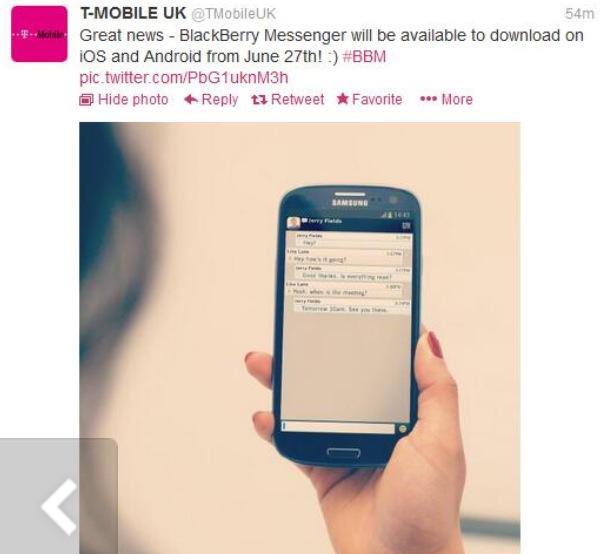
    After RIM announced that it would be releasing BBM for iOS and Android this summer, the release date wasn’t told due to some circumstances. However, later today T-Mobile UK Tweeted on its official Twitter account stating that BBM for iPhone and Android Release Date is scheduled for June 27, 2013.

    bbm_iphone_android_release_date_tweet

    Thanks to iPhone Helpers for Posting the Tweet image on their FaceBook Page.

    We are not putting our faith into this date because T-Mobile UK has deleted the Tweet and no such official confirmation regarding BBM for iPhone and Android Release Date has been made by RIM yet. We are waiting for an official to respond on this matter of BBM for iPhone and Android Release Date leak by T-Mobile UK.

    Until an official responds to this leak of BBM release date of June 27, 2013, we would like to share the features of BBM for iOS and Android that would be coming in initial version.

    • The immediacy of BBM chats
    • Multi-person chats
    • Voice note sharing
    • BlackBerry Groups, where BBM users are able to set up groups of up to 30 people and share calendar, photos, files and more

    The features like sharing the screens, video chat, linking of status with Apps such as FourSquare and More would not arrive to the iOS and Android version of BlackBerry because these features are limited to BlackBerry Z10.

    UpdateX1:

    BlackBerry has responded to SlashGear regarding the BBM for iPhone and Android Release Date leak by T-Mobile UK.

    [toggle title_open=”Close Me” title_closed=”Open Me” hide=”yes” border=”yes” style=”default” excerpt_length=”0″ read_more_text=”Read More” read_less_text=”Read Less” include_excerpt_html=”no”]We haven’t announced a date other than BBM for iOS and Android is coming this summer.” Also of note: the original UK T-Mobile tweet has been deleted as well.

    Initial functionality will be limited in comparison to what’s available on BlackBerry’s own phones. There’ll be cross-platform chat, but users on Android and iPhone will have to wait a little longer before they see group chat, voice calls, and screen sharing on their handsets.[/toggle]

  • Samsung has Started to Ditch Android OS Over Tizen (Report)

    Samsung has Started to Ditch Android OS Over Tizen (Report)

    The long-term relationship of Google’s Android with Samsung will be ending some time soon. In past, Android has been the center of attraction for every Samsung Smart Phone and every one who wanted to have something different always opted to go for Android based Samsung Smart Phones. Android being made by Google is indeed a perfect match for Samsung as being a tech giant because it allowed Samsung to think out of the box and do changes in the Smart Phone that a user wanted to do. In other words, we can say that Android is more customizable than any other OS present in the Market.

    Being an Open Source OS Android grabs the attention of all the developers around the world to develop on it to deliver a classy experience to a user, which he/she never thought of. However, as of now the war between Mobile OS is getting tougher day by day. In order to compete with other OS’s you need to be more innovative and secure because to change a Smart Phone these days isn’t a tough job. Any one can switch to any other Smart Phone in no time. Therefore, to maintain a better customer experience for an OS, the Smart Phone vendor must make/design the OS in a way that one does not shifts to any other Smart Phone.

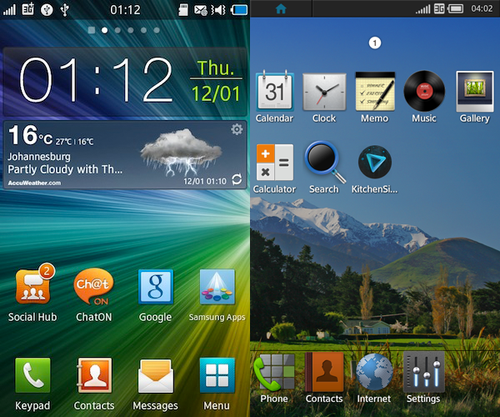
    Keeping this thing in consideration, Samsung has some plans for the future of OS. Despite the fact that Samsung and Android have ruled the Market for several years, but now Samsung is looking forward to have complete authority over an OS that it can control solely. Hence, Samsung has planned to make its own OS called Tizen. This OS Tizen will be a cross of Linux and Android.

    samsung_android_os_tizen_os

    (Tizen OS)

    Initially Samsung has planned to roll out few Smart Phones running this Tizen OS at M.W.C 2013 (Mobile World Congress). If the Smart Phones show some success with Tizen OS, the company will further release the Tizen OS Equipped Smart Phones in the eastern markets to see the feedback of the newly introduced OS. After releasing the Tizen equipped Smart Phones in Eastern Markets, Samsung will further expand the Tizen OS around the globe depending on the Feedback they get from Beta testing. If the Tizen OS is a success, then Samsung will move away from Android to Tizen OS and will work on it to make it better in every aspect.

    If everything goes well and Samsung gets a positive feedback on Tizen, then we can expect another competitor of Android in the market by Samsung. Tizen OS will for sure outrun Android because Samsung will switch its all Devices to Tizen in 2013.